Know what’s behind your bar.
CheekyBook is inventory built for small bars — count your stock without a clipboard, see what it’s worth, and order before you run dry.
- Free plan, no credit card
- iOS and web, one account
- Export any count to CSV
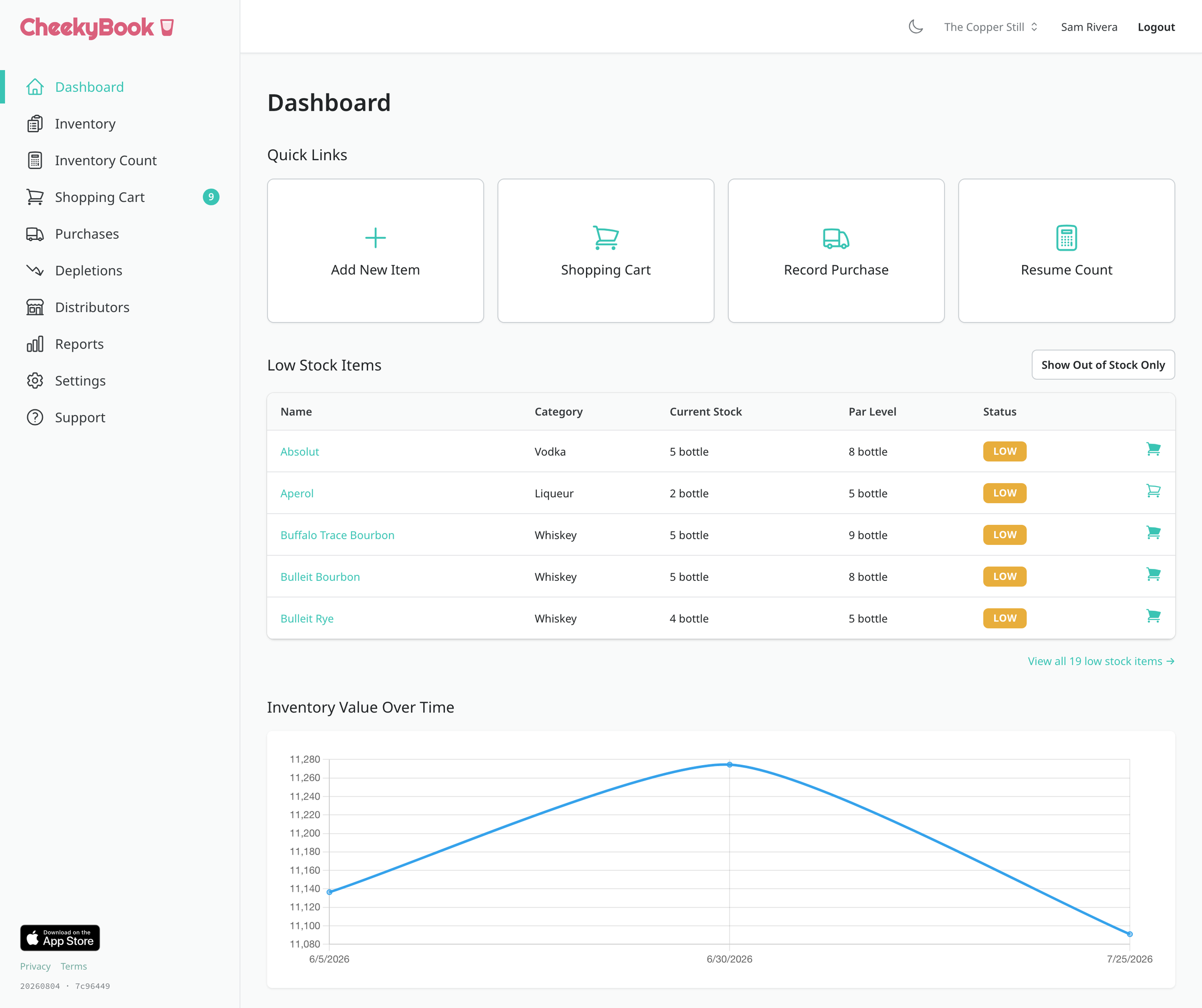
Three steps, then it’s just counting
- 1
Add your bottles
Name, size, cost, distributor. Once. Or load a demo bar and see the whole thing populated before you type anything.
- 2
Set your locations
Main bar, stockroom, walk-in — whatever you actually have. Par levels can differ at each one.
- 3
Count
Walk the room and enter what you see. Numbers save as you type, so nothing is lost if you get pulled away.
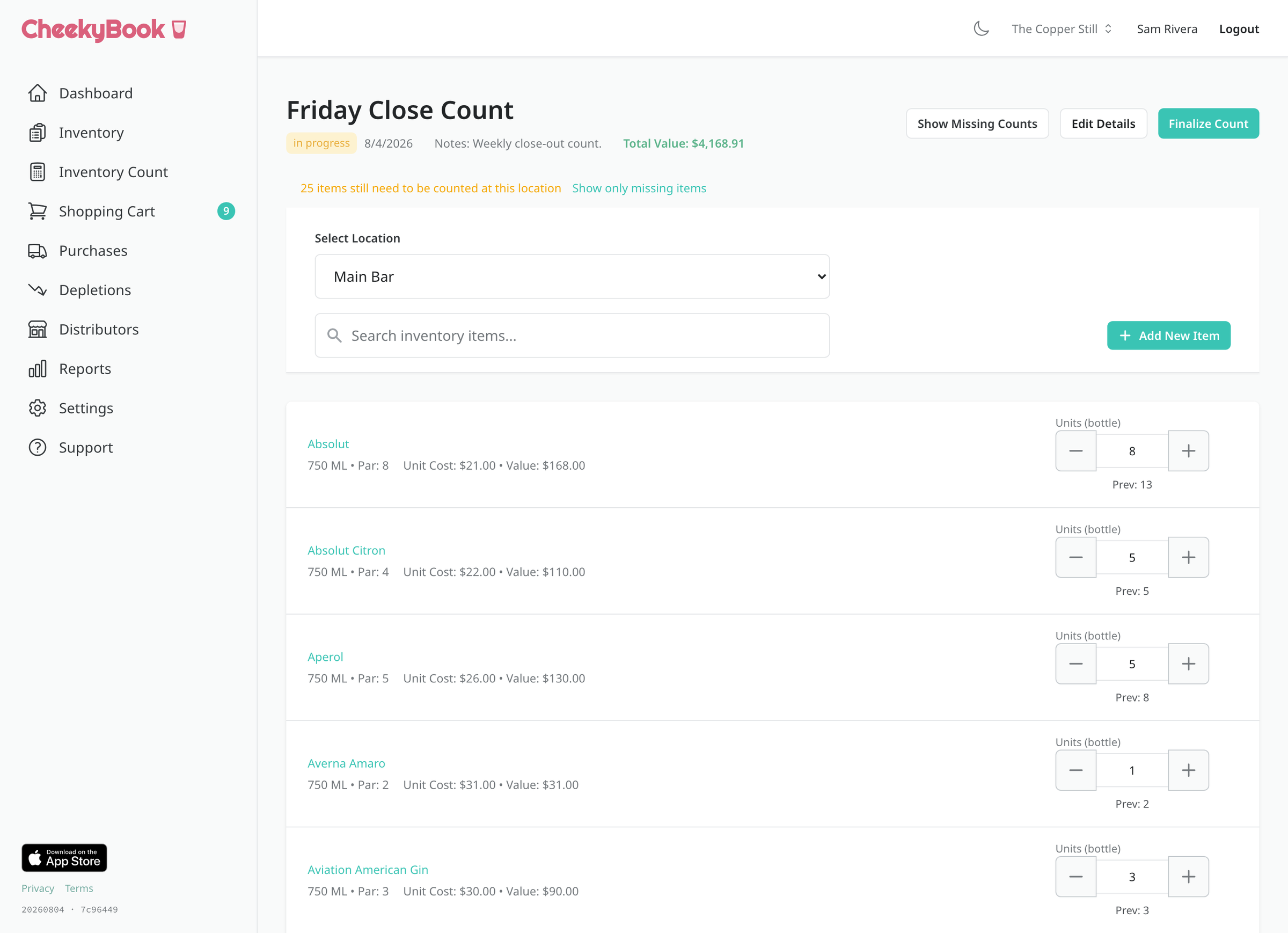
Counting that keeps up with you
Open a count, pick a location, and work down the shelf. CheekyBook shows you what you counted last time as you go, so a number that looks wrong is obvious while you’re still standing in front of the bottle.
- Every entry saves as you type
- Count one location at a time, or switch mid-count
- Last count’s numbers sit right there for reference
- Fix an item without leaving the count
Scan it instead of typing it
Scanning lives in the iOS app. Point the camera at a barcode and CheekyBook pulls up the item — no hunting through a list mid-count. If you already have a Bluetooth handheld scanner, it pairs with that too.
- Scan with the phone camera — no extra hardware
- Pairs with Bluetooth handheld scanners
- Unknown barcode? Attach it to an item once and it sticks

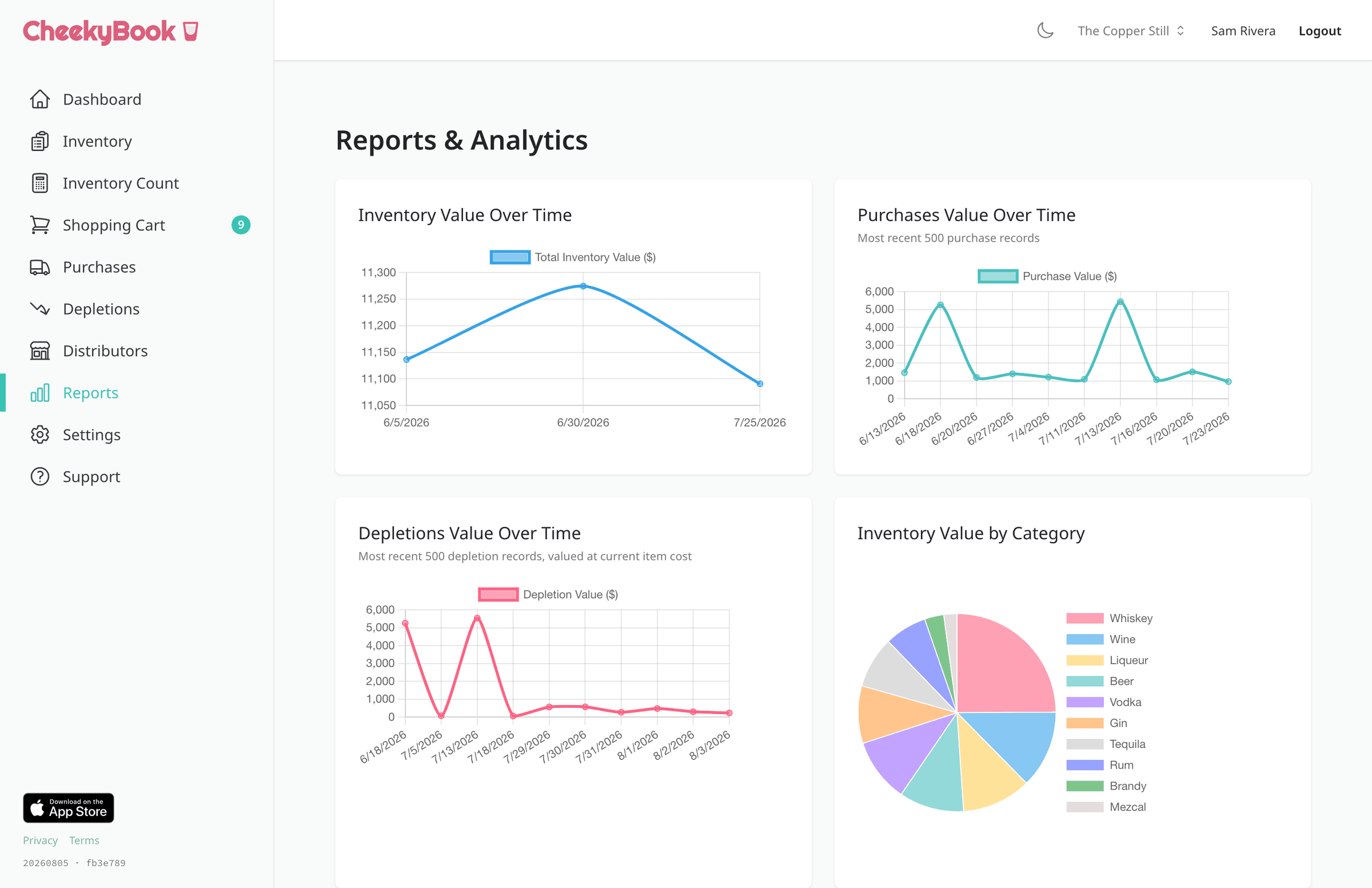
What you’re holding, and what it’s worth
Every finalized count becomes a point on the curve. See what your inventory is worth over time, what you spent to get there, and which categories are quietly eating the money.
- Inventory value tracked across every finalized count
- Purchases over the same window, on the same axis
- Depletions valued over the same period
- Value broken down by category
- Export any count to CSV
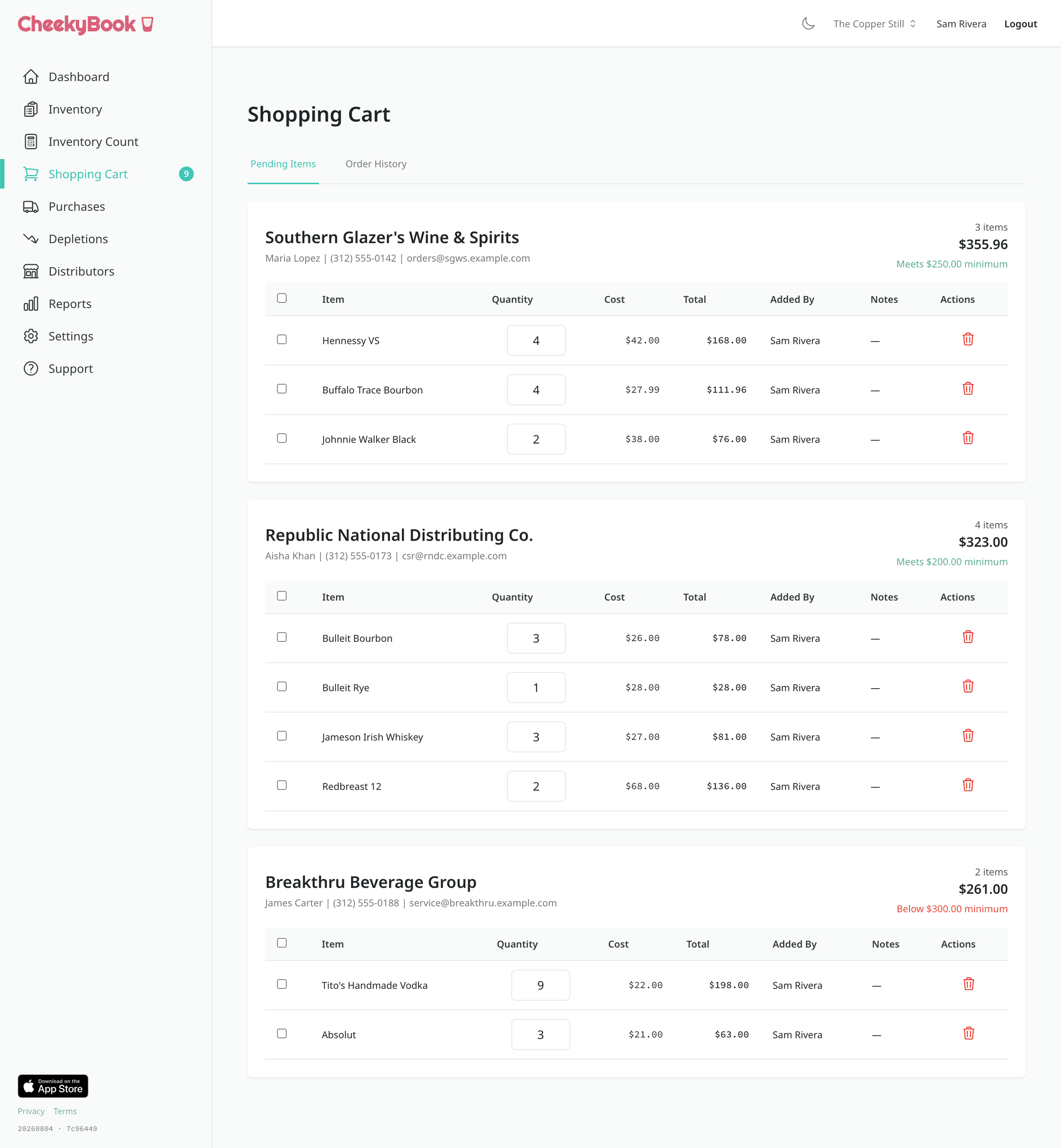
Order before you run dry
Set a par level and CheekyBook tells you what’s below it. Your cart groups itself by distributor, so you can see each order as the rep will see it — with their cutoff time and minimum right there before you send.
- Par levels flag what’s short, per location
- Cart splits itself by distributor
- Distributor cutoff times and order minimums built in
- Log what arrived and keep costs current
Finish a count, and the report writes itself
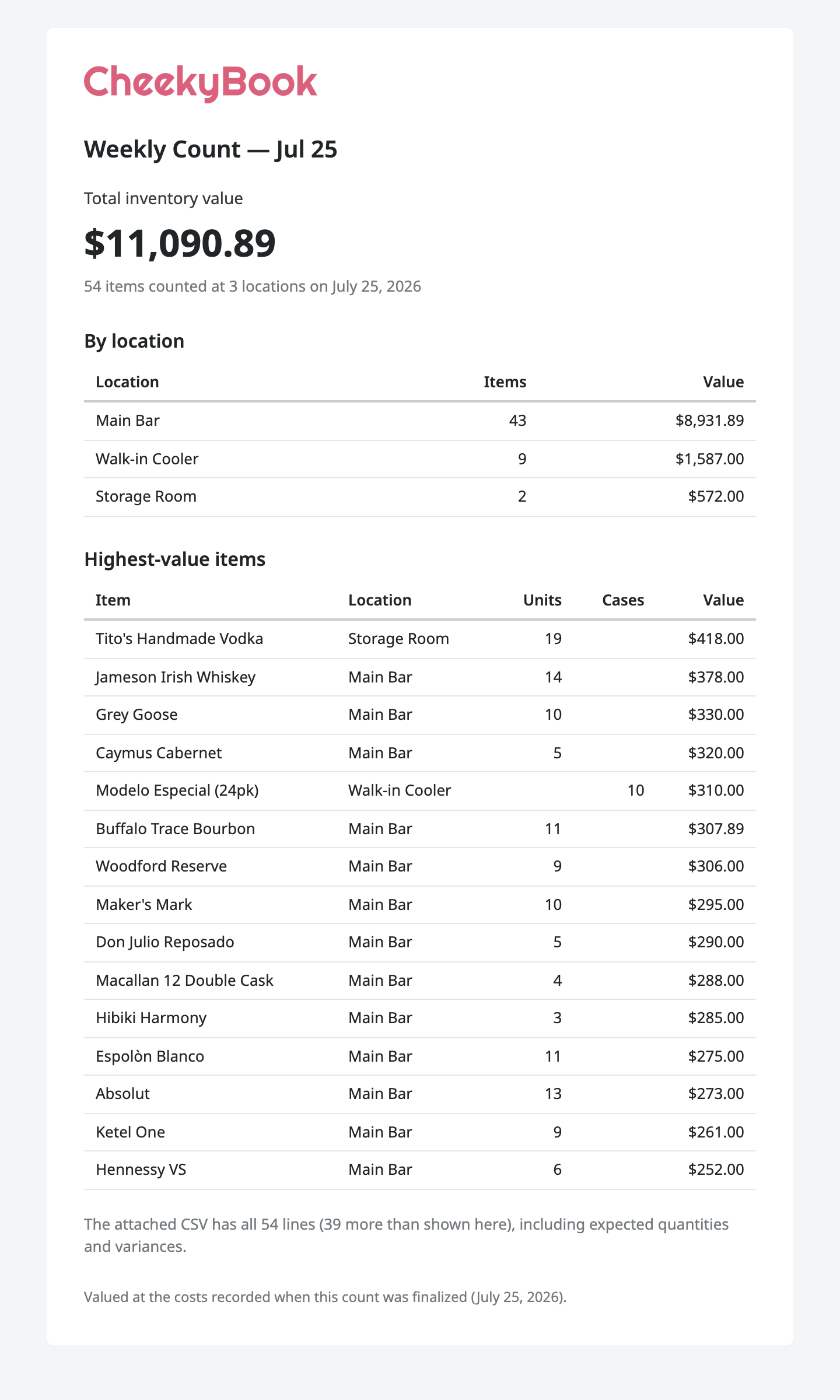
Finalize a count and CheekyBook emails the room a summary — total value, the items carrying the most of it, and a CSV with expected quantities and variances line by line. That’s where you find the bottle that walked off.
- Emailed to whoever needs it, automatically
- Expected vs. counted, with variance, in the CSV
- Total value and top items at a glance
Two plans. One of them is free.
Start on Free and stay there as long as it works. Pro is for when one room stops being the whole story.
Free
For a single bar that just wants an accurate count.
$0/ forever
Start free- 1 location
- Unlimited items
- Unlimited inventory counts
- Barcode scanning in the iOS app
- iOS app and web, one account
Pro
For bars with a stockroom, a walk-in, and someone else counting them.
$20/ month
$180/ yearSave $60
Pay yearly and we import your existing inventory for you — spreadsheets, an old system, whatever you have — at no extra cost.
Start on Free — upgrade from Settings whenever you want.
- Everything in Free, plus:
- Unlimited locations
- Full count history
- Reports and analytics
- Emailed count reports
- Unlimited staff accounts
- Ordering, distributors and invoice import
Per bar, billed monthly at $20 or yearly at $180. Cancel anytime — you keep CheekyBook Pro until the end of the period. Questions?
The phone in your apron pocket
Count behind the bar, scan a case in the walk-in, then finish up on a laptop in the office. Same account, same numbers.

The things people ask first
- Do I need a barcode scanner?
- No. Plenty of bars just tap the quantity in. If you want to go faster, the iOS app scans with the phone camera, and it also pairs with Bluetooth handheld scanners if you already own one.
- How long does setup take?
- An evening for most single-room bars. You add your items once — name, size, cost, distributor — and everything after that is counting. If you want to see the shape of it first, you can load a fully populated demo bar with one click and poke around before entering anything real.
- Can more than one person count at the same time?
- Yes, on Pro. Counts are shared across your whole staff, so one person can work the walk-in while someone else does the well, and both sets of numbers land in the same count.
- What happens to my data if I cancel?
- Nothing disappears. You drop back to the Free plan and keep your items and your counts. You can export any count to CSV at any time, on either plan.
- Does it work on my phone?
- Yes. The web app is responsive, and there is a native iOS app on the App Store. One account covers both — start a count on the phone behind the bar and finish it on a laptop in the office.
- Is there a contract?
- No. Pro is $20 a month per bar, or $180 a year if you would rather pay once — that is three months free, and yearly plans include importing your existing inventory at no extra cost. Either way you can cancel from Settings whenever you like, and you keep Pro until the end of the period you already paid for.